

Apple Rolls Out iOS 27: New Siri AI Features, Supported iPhones and How to Update
Apple Rolls Out iOS 27: Siri AI, New Features, Supported iPhones and How to Update
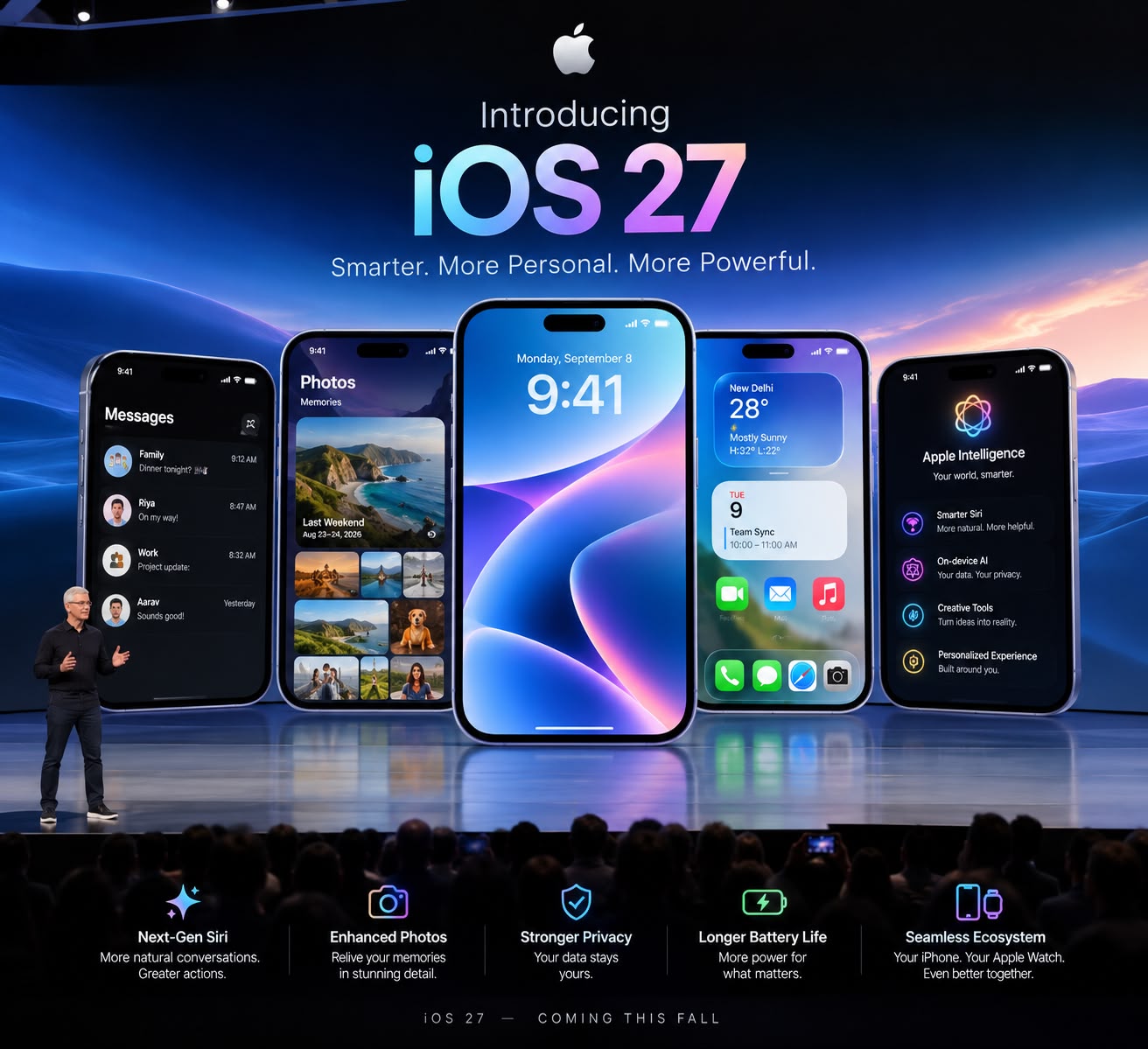
Apple has officially rolled out iOS 27, bringing a major software update to compatible iPhone models. Released on September 14, 2026, iOS 27 introduces the next generation of Apple Intelligence, including the new Siri AI, along with improvements to Photos, Camera, Safari, FaceTime, Home, accessibility and the Liquid Glass interface.
The update also expands Apple's AI capabilities across everyday iPhone experiences, allowing users to perform more tasks using natural-language interactions.
iOS 27 Brings a New Siri AI Experience
One of the biggest highlights of iOS 27 is Siri AI, which Apple describes as a more conversational and capable assistant.
The new Siri can understand personal context, use broader knowledge, recognize information displayed on the screen and perform actions across supported apps. Users can also revisit conversations in a dedicated Siri experience.
For example, Siri can help locate a specific photo, find information in an email or note, draft content and perform certain actions across apps. Siri AI is being introduced in beta and is initially available in English on supported Apple Intelligence-enabled iPhones.
Apple Intelligence Gets More Powerful
Apple is expanding Apple Intelligence throughout iOS 27 rather than limiting AI features to Siri.
The Photos app receives new AI-powered editing capabilities, including the ability to reframe photos, extend image borders and remove distracting objects with greater precision.
Visual Intelligence also comes to the Camera experience, allowing users to search for information, ask questions and take actions based on what is visible through the camera.
Liquid Glass Gets More Customization
Apple introduced the Liquid Glass design language with the previous generation of iOS, and iOS 27 continues to refine the experience.
A new customization slider allows users to adjust the appearance of Liquid Glass from a more transparent ultraclearappearance to a more heavily tinted look.
This gives users greater control over the visual appearance of supported interface elements.
New Camera and Photos Features
The Camera app receives usability improvements in iOS 27. Users can pin frequently used camera controls above the camera frame, making commonly used settings easier to access.
Photos also gains several new features. Users can save individual video frames as photos, while AI-powered editing tools provide additional options for modifying images after they have been captured.
Safari Gets AI-Powered Features
Safari is also getting an AI upgrade.
iOS 27 can automatically organize tabs into topics, making large collections of open webpages easier to manage. Apple has also introduced the ability to create certain Safari extensions using a description.
Another new feature, Notify Me, can monitor webpages for changes and alert users when something changes, such as a price or product availability.
FaceTime and Communication Improvements
FaceTime gets a new Dual Capture feature that allows users to share views from both the front and rear cameras during a call.
Apple Intelligence also brings translated captions to FaceTime conversations involving different languages, helping users follow conversations more easily.
More Child Safety Features
Apple has expanded its child-safety tools in iOS 27.
Parents and guardians can control which apps children can use, approve requested websites through Safari and use enhanced Communication Safety features designed to help protect children from viewing or sharing certain sensitive images and videos.
iOS 27 Compatible iPhones
Apple's official compatibility list includes a wide range of models, starting with the iPhone 11 series and extending to the latest iPhone models.
Supported devices include:
- iPhone 11, 11 Pro and 11 Pro Max
- iPhone SE (2nd generation and later)
- iPhone 12 series
- iPhone 13 series
- iPhone 14 series
- iPhone 15 series
- iPhone 16 series
- iPhone 17 series
- iPhone Air
- iPhone 18 series
- iPhone Duo
However, not every iOS 27 feature is available on every compatible iPhone. Apple Intelligence features require supported hardware, and availability can also depend on language and region.
How to Download iOS 27
Users with a compatible iPhone can manually check for the update by following these steps:
Settings → General → Software Update → Download and Install
Apple recommends backing up the iPhone before installing a major software update. Users can also enable automatic updates so compatible software updates can be downloaded and installed automatically.
iOS 27: What Makes It Different?
iOS 27 is more than a visual update. Apple's latest software focuses heavily on making the iPhone more intelligent, personalized and context-aware.
The combination of Siri AI, Apple Intelligence, AI-powered Photos, Visual Intelligence, Safari improvements, enhanced communication features and additional customization makes iOS 27 one of Apple's most significant software releases in recent years.
For users with newer Apple Intelligence-compatible iPhones, the biggest change is likely to be the expanded role of AI across everyday tasks rather than a single new feature.
Conclusion
With iOS 27, Apple is pushing the iPhone further toward an AI-powered computing experience. The new Siri AI sits at the center of that strategy, while Apple Intelligence is being integrated into Photos, Camera, Safari, FaceTime, Home and other parts of the operating system.
The update is now available for compatible iPhones, although some AI capabilities remain dependent on device, language and regional availability.
What's Hot
-

Asian Games 2026: India Wins Double Kabaddi Gold, Medal Tally Reaches 28
-

Trump Moves to Cancel Nearly Dollar 1 Billion in Congress-Approved Funding
-

PM Modi Calls Bhajan Clubbing “Spectacular”: What It Is All About
-

Tata Aeris Launch 2026: New Compact Sedan to Replace Tigor, Price, Features, Engine, CNG and EV Details
-

India’s Semiconductor Push: Whole-of-Industry Approach to Boost Electronics Manufacturing
-

National Film Awards 2026 Winners: Yami Gautam, Kartik Aaryan, Mammootty, Pushpa 2
-

PM Kisan 24th Installment Date 2026: When Will ?2,000 Be Credited?
-

Xi Jinping's US Visit: What It Means for the World Economy
-

ndia is rapidly expanding renewable energy, but transmission bottlenecks and limited storage are causing clean electricity to be curtailed. Here's what it means.
-

SEO Title: Mahindra Thar OG Launched at INR 10.32 Lakh: Price, Features & Specs